Primsa Client 单表 CRUD 的全部 api
我们学了 Prisma 的命令、schema 的语法,这节来过一遍 Prisma Client 的 api。
这节只涉及单个表的 CRUD 的 api。
创建个新项目:
mkdir prisma-client-api
cd prisma-client-api
npm init -y
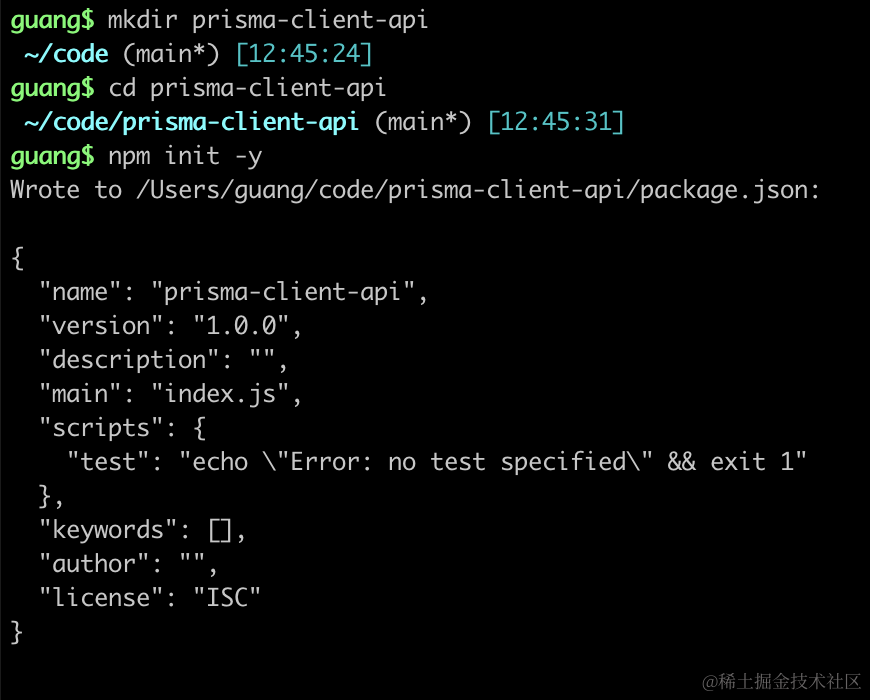
进入项目,执行 init 命令:
npx prisma init
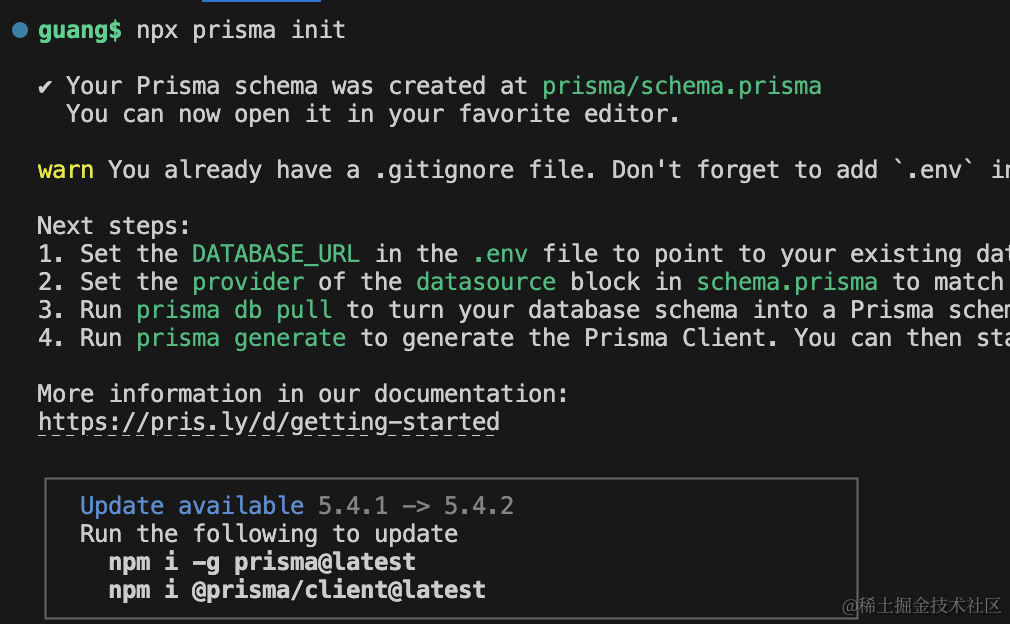
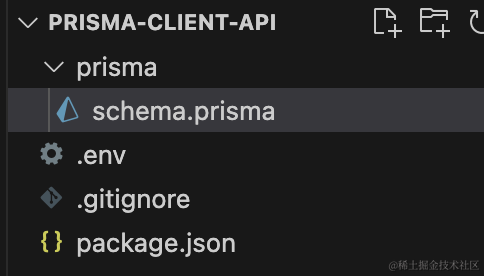
生成了 .env 和 schema 文件:
然后改下 .env 文件的数据库连接信息:
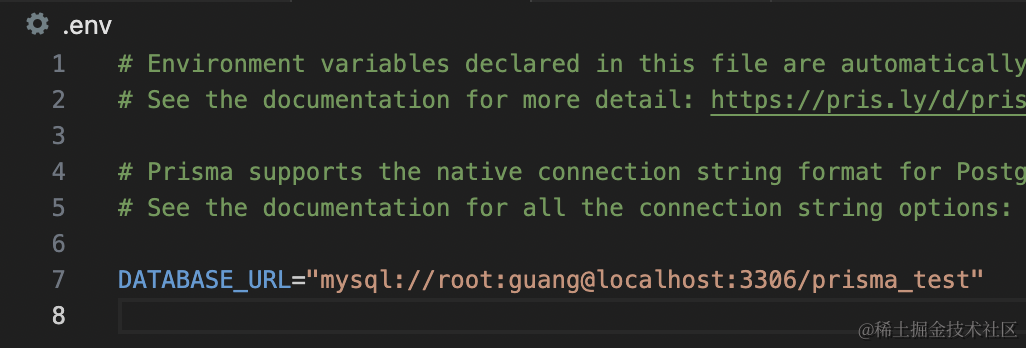
DATABASE_URL="mysql://root:guang@localhost:3306/prisma_test"
改一下 datasource 的 provider 为 mysql,并且添加一个 model
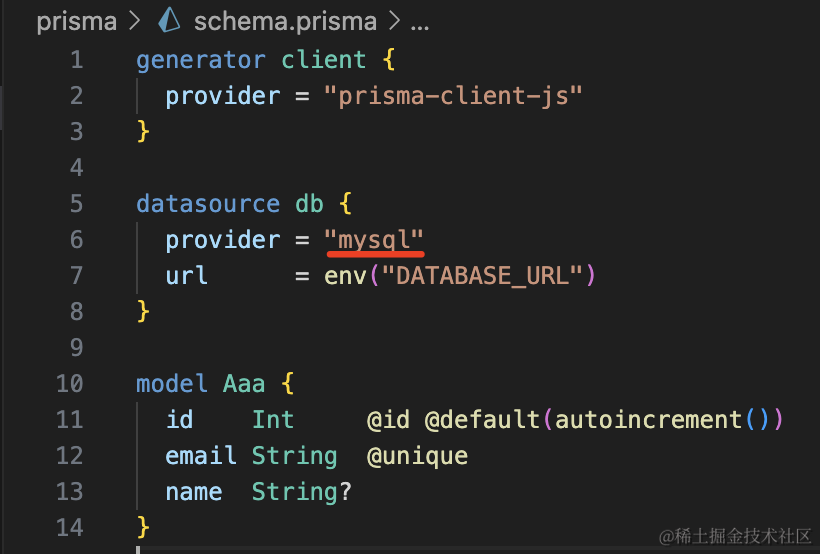
generator client {
  provider = "prisma-client-js"
}

datasource db {
  provider = "mysql"
  url      = env("DATABASE_URL")
}

model Aaa {
  id    Int     @id @default(autoincrement())
  email String  @unique
  name  String?
}
然后再添加一个 generator,生成 docs,并且修改下生成代码的位置:
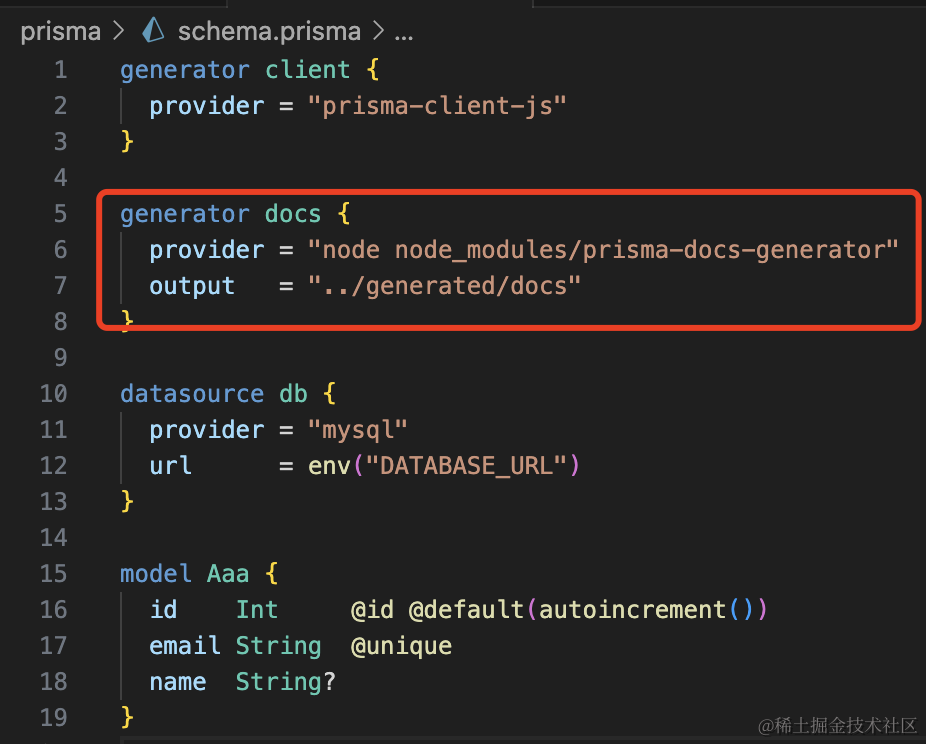
generator docs {
  provider = "node node_modules/prisma-docs-generator"
  output   = "../generated/docs"
}
安装用到的 generator 包:
npm install --save-dev prisma-docs-generator
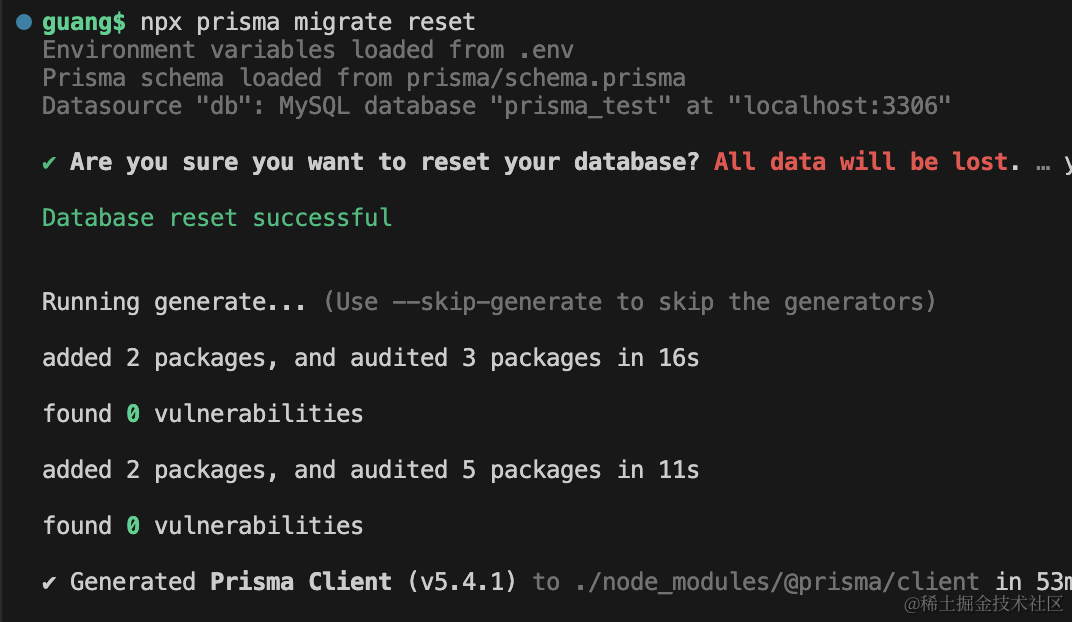
之后执行 migrate reset 重置下:
npx prisma migrate reset
之后用 migrate dev 创建新的迁移:
npx prisma migrate dev --name aaa
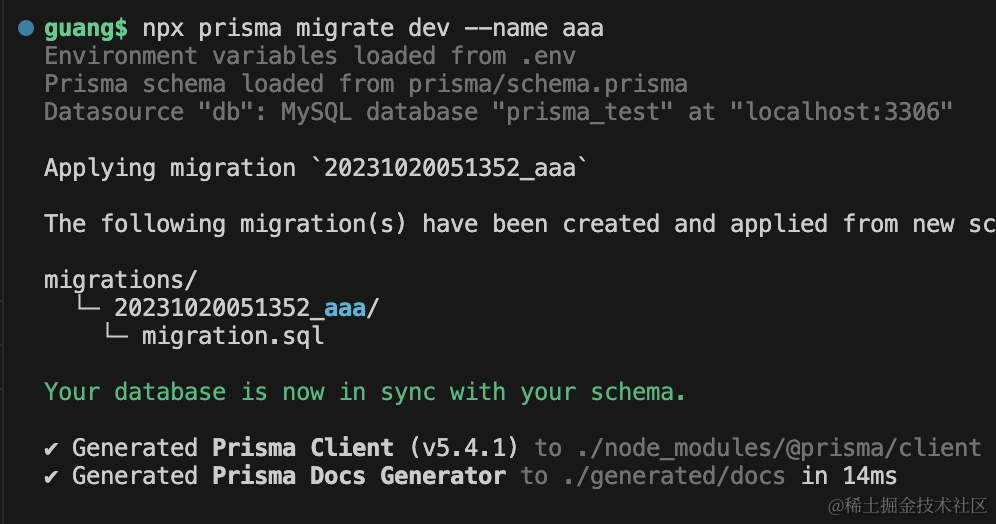
可以看到,生成了 client 代码、docs 文档,还有 sql 文件。
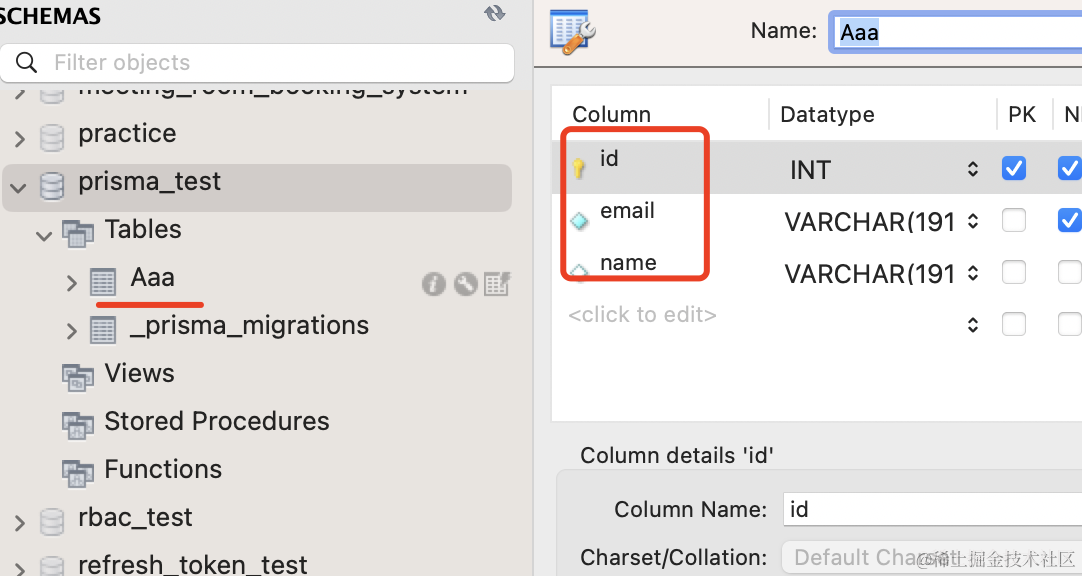
数据库中也多了这个表:
然后我们写下初始化数据的代码:
首先安装 ts、ts-node 包:
npm install typescript ts-node @types/node --save-dev
创建 tsconfig.json
npx tsc --init
把注释删掉,保留这些配置就行:
{
    "compilerOptions": {
        "target": "es2016",
        "module": "commonjs",
        "types": ["node"],
        "esModuleInterop": true,
        "forceConsistentCasingInFileNames": true,
        "strict": true,
        "skipLibCheck": true
    }
}
在 package.json 配置下 seed 命令:
"prisma": {
    "seed": "npx ts-node prisma/seed.ts"
},
然后写下 prisma/seed.ts
import { PrismaClient } from "@prisma/client";
const prisma = new PrismaClient({
log: [
{
emit: "stdout",
level: "query",
},
],
});
async function main() {
await prisma.aaa.createMany({
data: [
{
name: "aaa",
},
{
name: "bbb",
},
{
name: "ccc",
},
{
name: "ddd",
},
{
name: "eee",
},
],
});
console.log("done");
}
main();
很容易看懂,就是插入了 5 条记录。
执行 seed:
npx prisma db seed
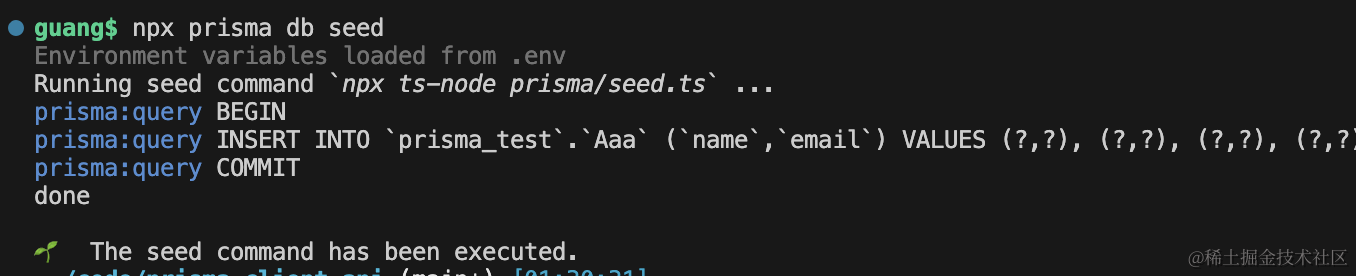
打印了插入数据的 sql。
去 mysql workbench 里看下:
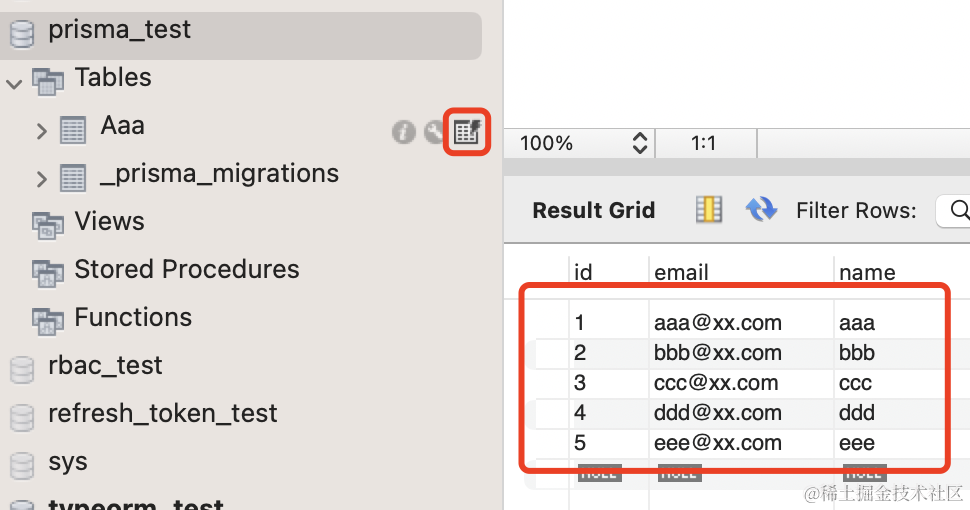
插入成功了。
然后来写下 client 的 crud 代码。
创建 src/index.ts
import { PrismaClient } from "@prisma/client";

const prisma = new PrismaClient({
    log: [
        {
            emit: "stdout",
            level: "query",
        },
    ],
});

async function main() {}

main();
client 都有哪些方法呢?
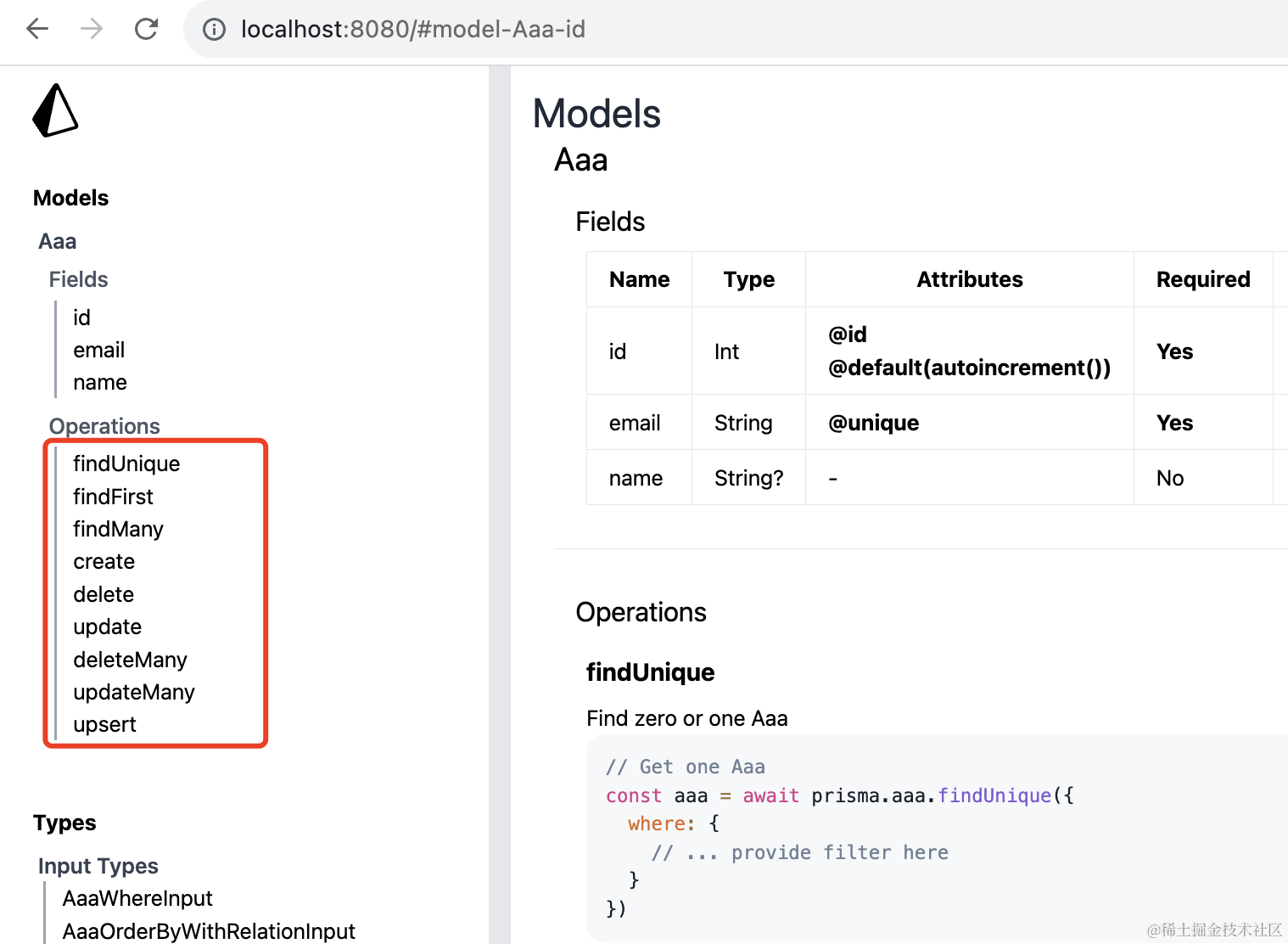
我们不是还用 docs generator 生成了文档么?看下那个就知道了。
npx http-server ./generated/docs
跑一个静态服务:
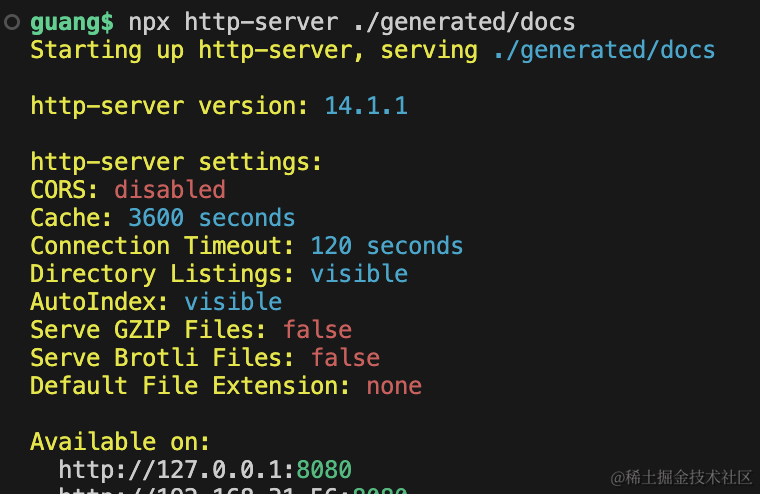
访问 http://localhost:8080 可以看到 Aaa 的字段和方法,一共 9 个方法:
我们依次试一下:
findUnique
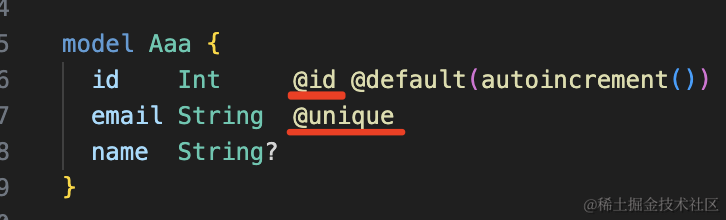
findUnique 是用来查找唯一的记录的,可以根据主键或者有唯一索引的列来查:
import { PrismaClient } from "@prisma/client";
const prisma = new PrismaClient({
log: [
{
emit: "stdout",
level: "query",
},
],
});
async function test1() {
const aaa = await prisma.aaa.findUnique({
where: {
id: 1,
},
});
console.log(aaa);
const bbb = await prisma.aaa.findUnique({
where: {
},
});
console.log(bbb);
}
test1();
所以,这里的 id、email 都可以:
跑一下试试:
npx ts-node ./src/index.ts

但是如果指定 name 就不行了:
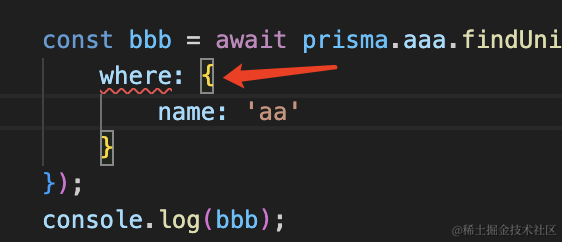
因为通过 name 来查并不能保证记录唯一。
你还可以通过 select 指定返回的列:
async function test1() {
const aaa = await prisma.aaa.findUnique({
where: {
id: 1,
},
});
console.log(aaa);
const bbb = await prisma.aaa.findUnique({
where: {
},
select: {
id: true,
email: true,
},
});
console.log(bbb);
}
比如我通过 select 指定返回 id、email:
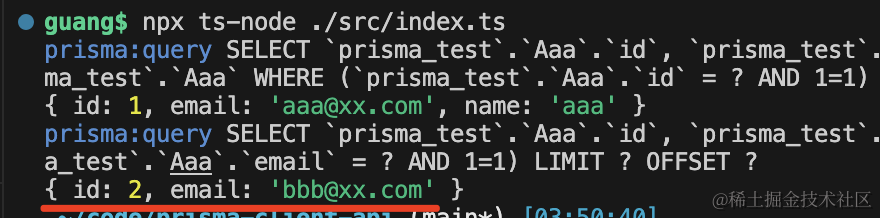
那结果里就只包含这两个字段。
findUniqueOrThrow
findUniqueOrThrow 和 findUnique 的区别是它如果没找到对应的记录会抛异常,而 findUnique 会返回 null。
先试下 findUnique:
import { PrismaClient } from "@prisma/client";

const prisma = new PrismaClient({
    log: [
        {
            emit: "stdout",
            level: "query",
        },
    ],
});

async function test2() {
    const aaa = await prisma.aaa.findUnique({
        where: {
            id: 10,
        },
    });
    console.log(aaa);
}

test2();
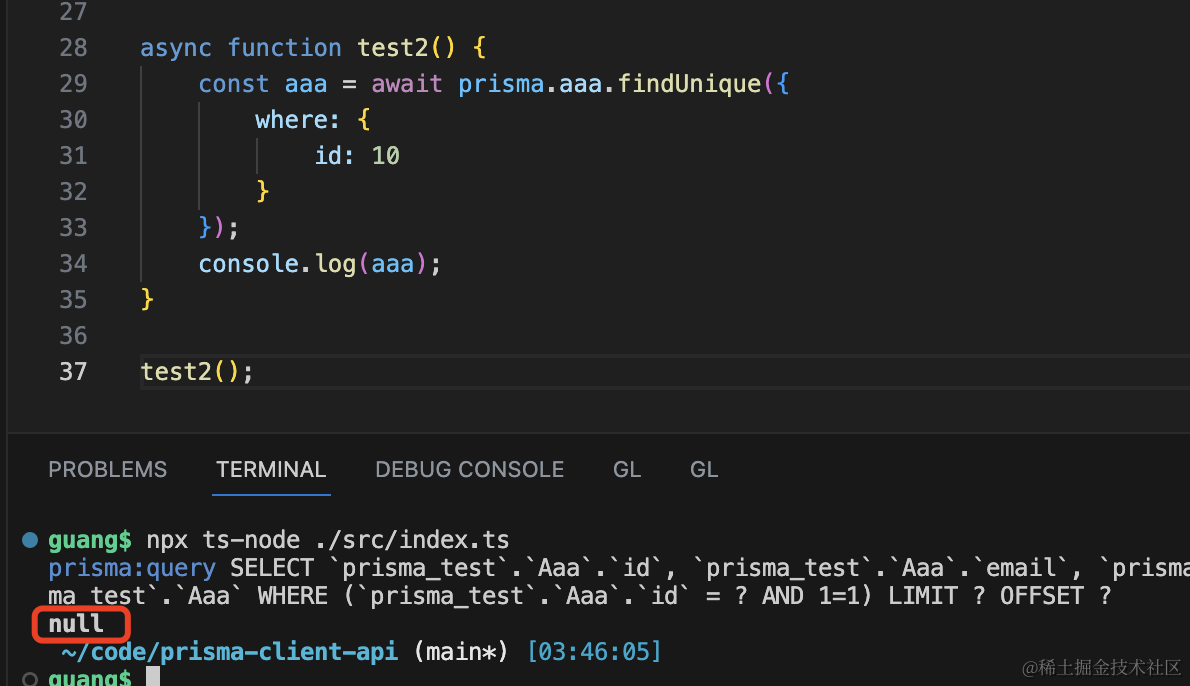
再换成 findUniqueOrThrow 试试:
import { PrismaClient } from "@prisma/client";

const prisma = new PrismaClient({
    log: [
        {
            emit: "stdout",
            level: "query",
        },
    ],
});

async function test2() {
    const aaa = await prisma.aaa.findUniqueOrThrow({
        where: {
            id: 10,
        },
    });
    console.log(aaa);
}

test2();
如果没找到会抛异常:
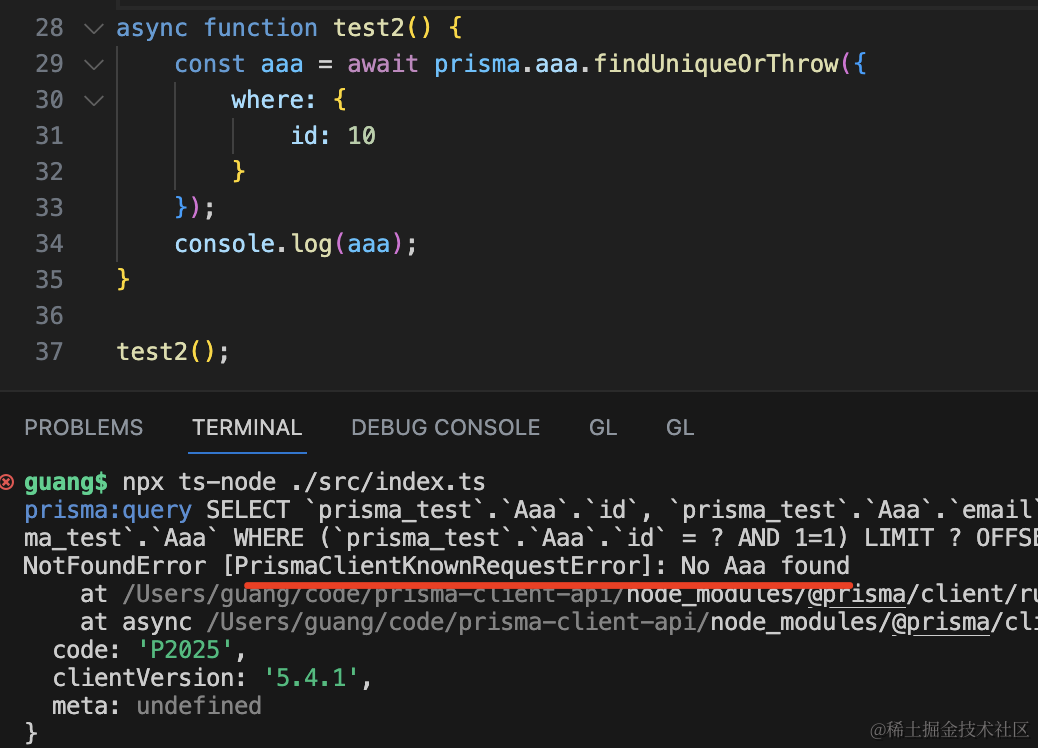
findMany
findMany 很明显是查找多条记录的。
比如查找 email 包含 xx 的记录,按照 name 降序排列:
import { PrismaClient } from "@prisma/client";

const prisma = new PrismaClient({
    log: [
        {
            emit: "stdout",
            level: "query",
        },
    ],
});

async function test3() {
    const res = await prisma.aaa.findMany({
        where: {
            email: {
                contains: "xx",
            },
        },
        orderBy: {
            name: "desc",
        },
    });
    console.log(res);
}

test3();
跑一下:
npx ts-node ./src/index.ts
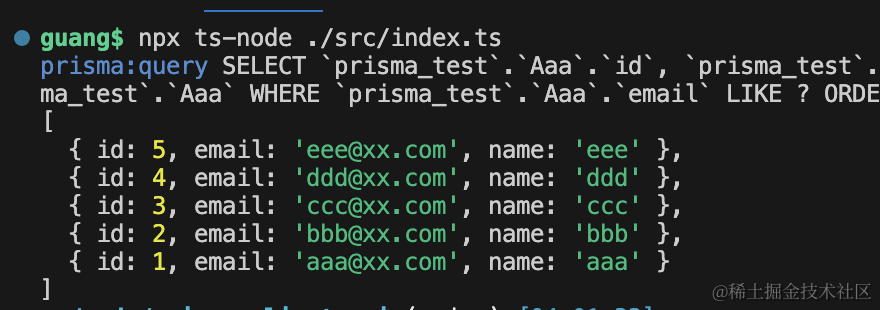
然后再加个分页,取从第 2 条开始的 3 条。
async function test3() {
    const res = await prisma.aaa.findMany({
        where: {
            email: {
                contains: "xx",
            },
        },
        orderBy: {
            name: "desc",
        },
        skip: 2,
        take: 3,
    });
    console.log(res);
}
下标是从 0 开始的,所以是这三条:
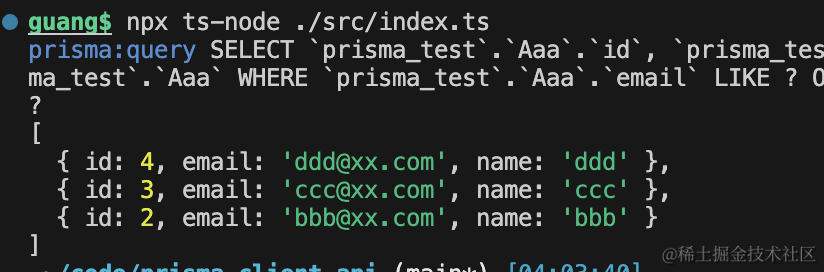
当然,你可以再加上 select 指定返回的字段:
async function test3() {
    const res = await prisma.aaa.findMany({
        where: {
            email: {
                contains: "xx",
            },
        },
        select: {
            id: true,
            email: true,
        },
        orderBy: {
            name: "desc",
        },
        skip: 2,
        take: 3,
    });
    console.log(res);
}
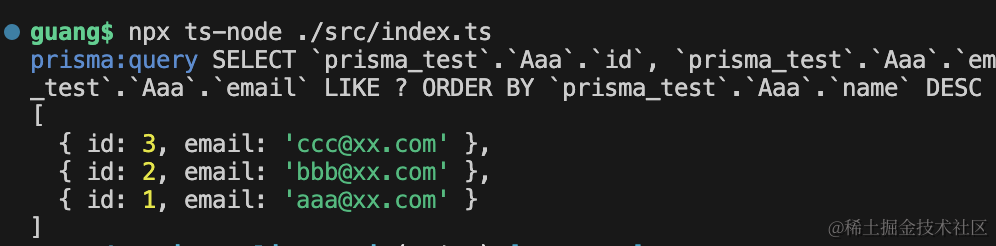
你会发现熟练 sql 之后,这些 api 用起来都很自然,过一遍就会了。
findFirst
findFirst 和 findMany 的唯一区别是,这个返回第一条记录。
async function test4() {
    const res = await prisma.aaa.findFirst({
        where: {
            email: {
                contains: "xx",
            },
        },
        select: {
            id: true,
            email: true,
        },
        orderBy: {
            name: "desc",
        },
        skip: 2,
        take: 3,
    });
    console.log(res);
}
test4();
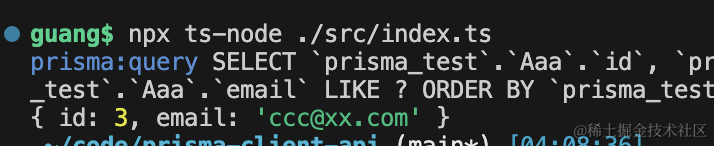
此外,where 条件这里可以指定的更细致:
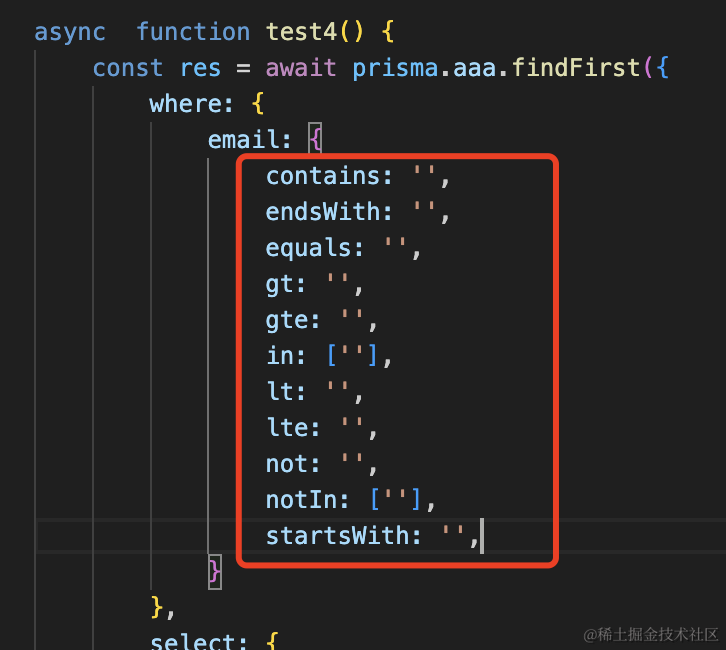
contains 是包含,endsWith 是以什么结尾
gt 是 greater than 大于,lte 是 less than or equal 大于等于
这些过滤条件都很容易理解,就不展开了。
此外,还有 findFirstOrThrow 方法,那个也是如果没找到,抛异常,参数和 FindFirst 一样。
create
这个我们用过多次了,用来创建记录:
async function test5() {
const res = await prisma.aaa.create({
data: {
name: "kk",
},
select: {
email: true,
},
});
console.log(res);
}
test5();
它同样也可以通过 select 指定插入之后再查询出来的字段。
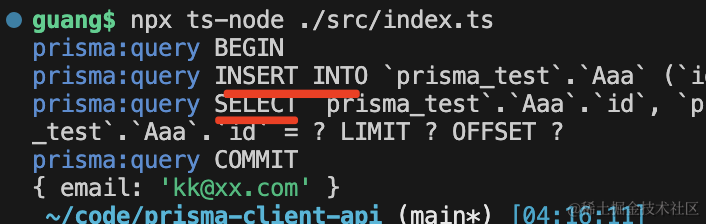
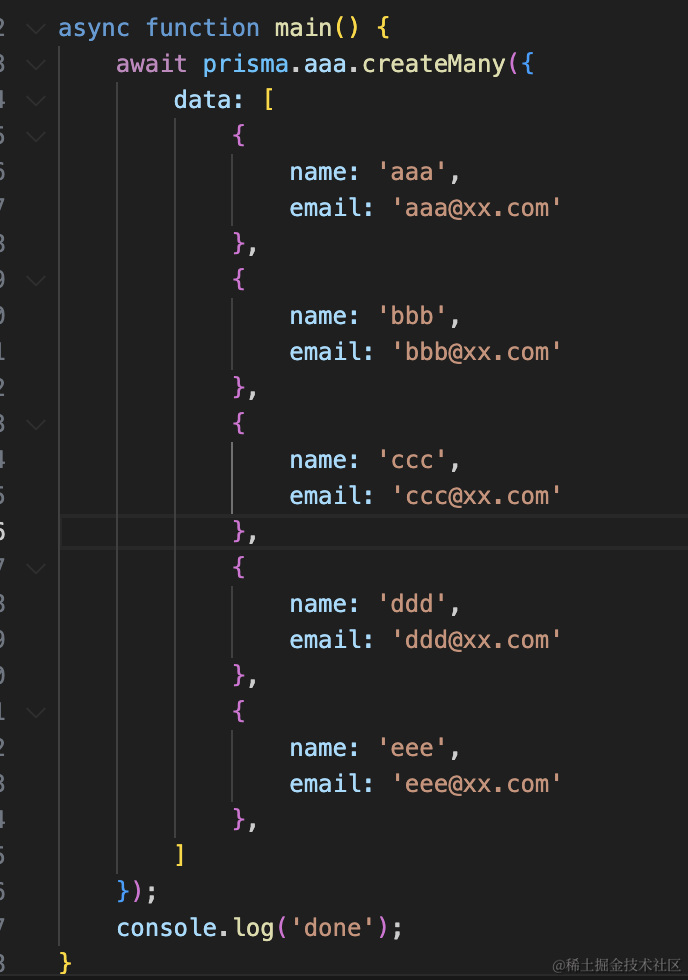
createMany 我们用过,这里就不测了:
update
update 明显是用来更新的。
它可以指定 where 条件,指定 data,还可以指定 select 出的字段:
async function test6() {
const res = await prisma.aaa.update({
where: { id: 3 },
select: {
id: true,
email: true,
},
});
console.log(res);
}
test6();
跑一下:
npx ts-node ./src/index.ts
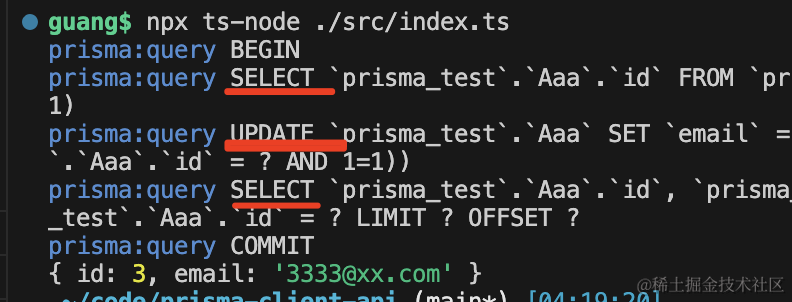
可以看到,打印了 3 条 sql:
首先根据 where 条件查询出这条记录,然后 update,之后再 select 查询出更新后的记录。
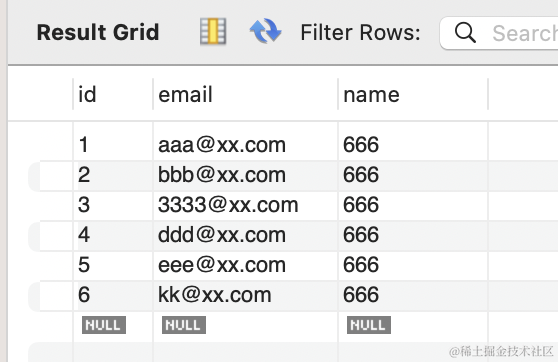
updateMany 自然是更新多条记录。
比如你想更新所有邮箱包含 xx.com 的记录为 [email protected]
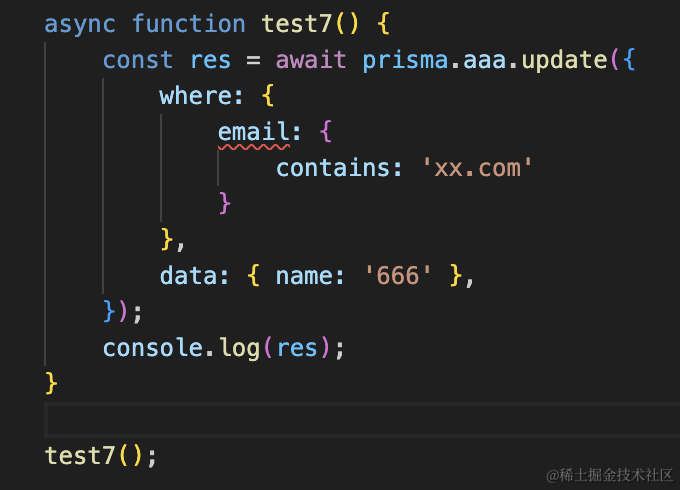
用 update 会报错,它只是用来更新单条记录的,需要指定 id 或者有唯一索引的列。
这时候改成 udpateMany 就可以了。
async function test7() {
    const res = await prisma.aaa.updateMany({
        where: {
            email: {
                contains: "xx.com",
            },
        },
        data: { name: "666" },
    });
    console.log(res);
}

test7();
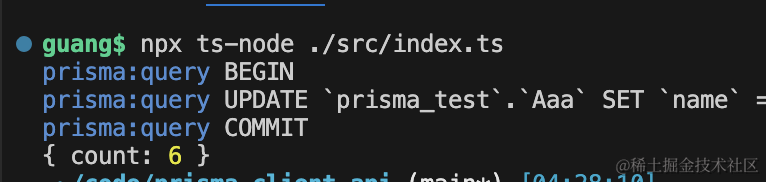
在 mysql workbench 里可以看到,确实改了:
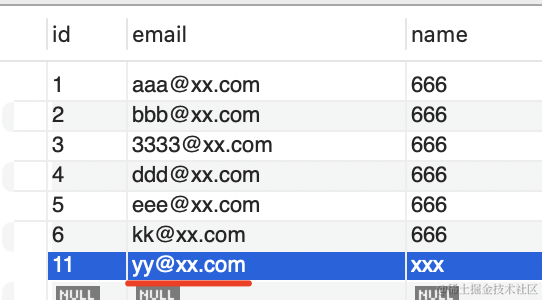
upsert
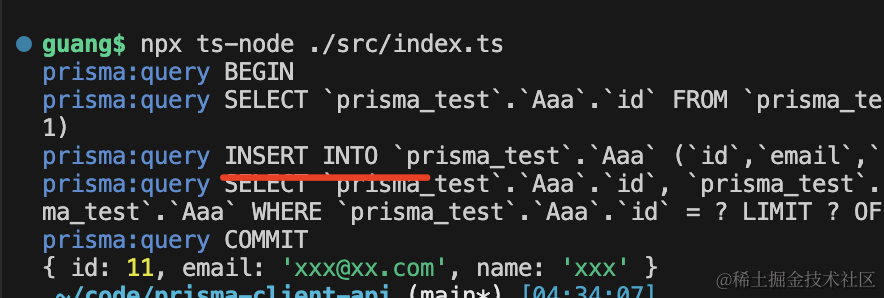
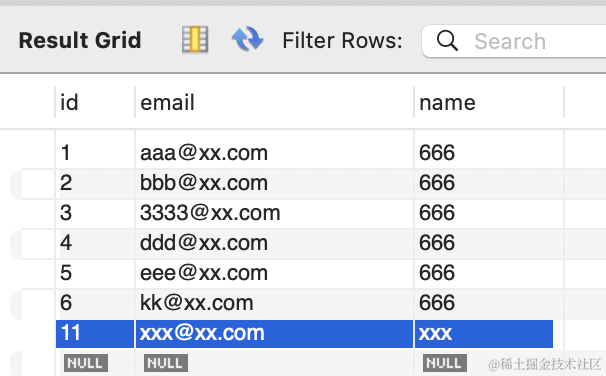
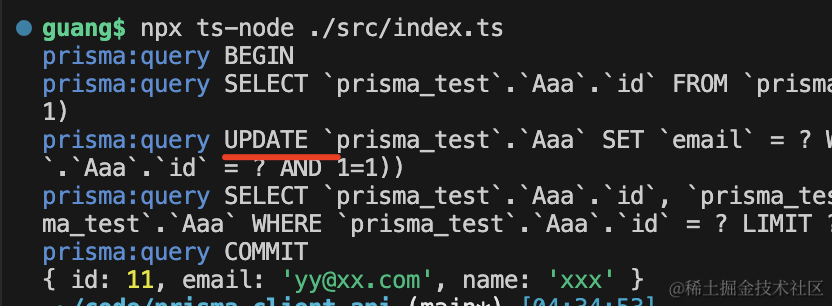
upsert 是 update 和 insert 的意思。
当传入的 id 有对应记录的时候,会更新,否则,会创建记录。
async function test8() {
const res = await prisma.aaa.upsert({
where: { id: 11 },
create: {
id: 11,
name: "xxx",
},
});
console.log(res);
}
test8();
第一次跑执行的是 insert:
第二次跑就是 update 了:
delete
delete 就比较简单了,我们和 deleteMany 一起测试下:
async function test9() {
    await prisma.aaa.delete({
        where: { id: 1 },
    });

    await prisma.aaa.deleteMany({
        where: {
            id: {
                in: [11, 2],
            },
        },
    });
}

test9();

可以看到有两条 delete 语句。
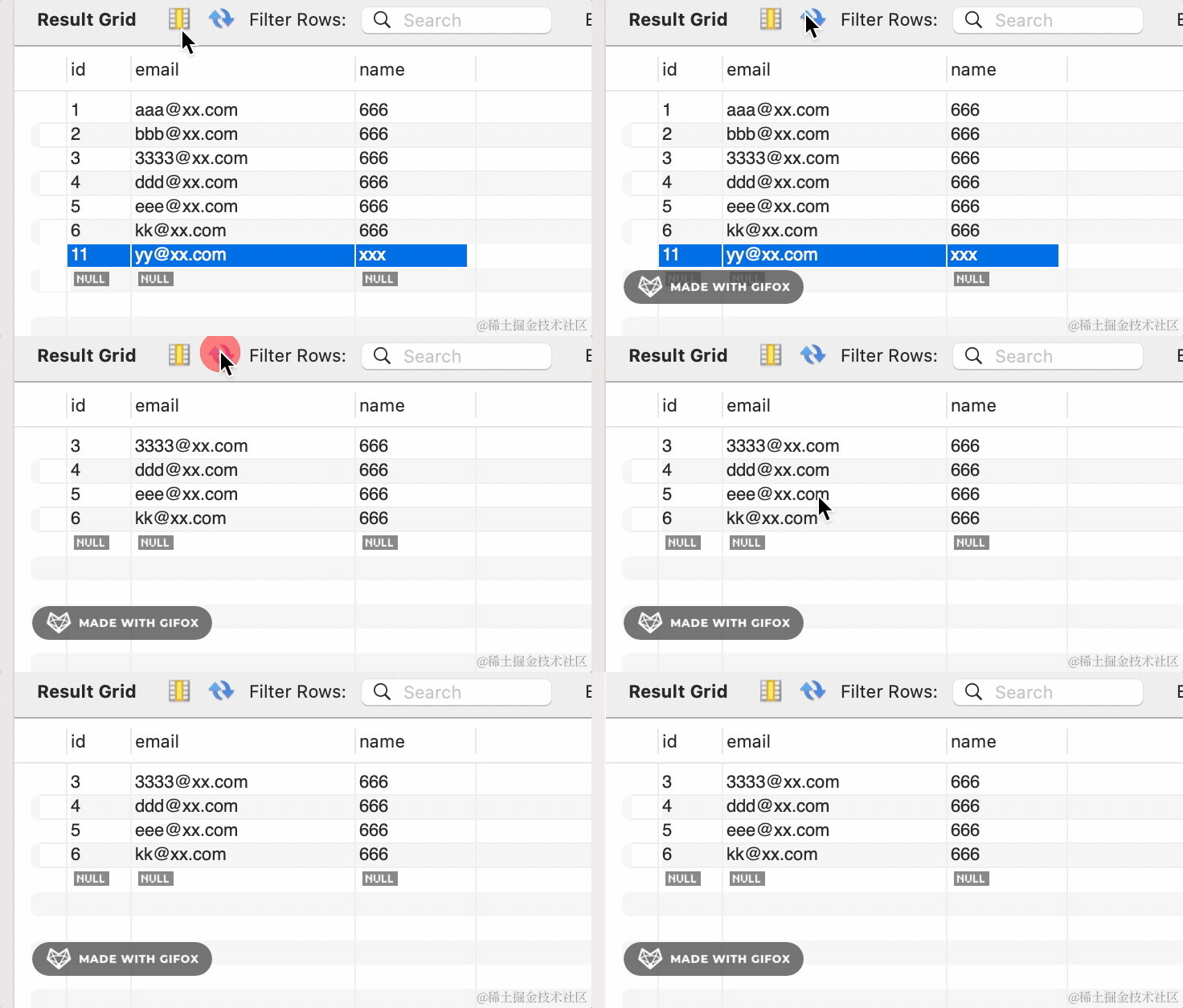
可以看到 3 条记录都被删除了。
count
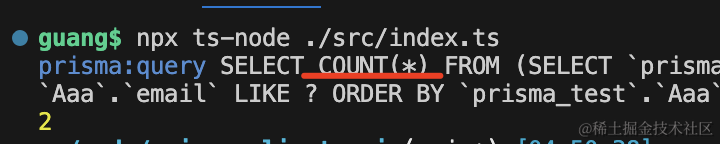
count 其实和 findMany 参数一样,只不过这里不返回具体记录,而是返回记录的条数。
比如 findMany 是这样的:
async function test10() {
    const res = await prisma.aaa.findMany({
        where: {
            email: {
                contains: "xx",
            },
        },
        orderBy: {
            name: "desc",
        },
        skip: 2,
        take: 3,
    });
    console.log(res);
}
test10();
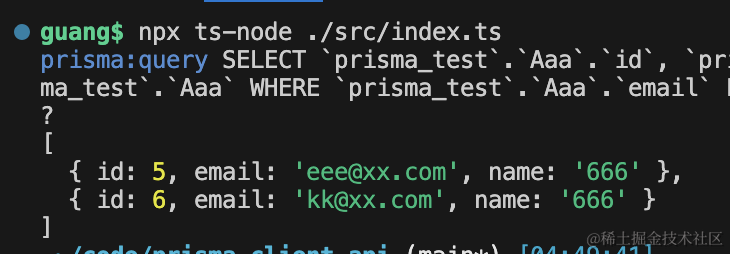
把 findMany 改为 count 就是这样了:
async function test10() {
    const res = await prisma.aaa.count({
        where: {
            email: {
                contains: "xx",
            },
        },
        orderBy: {
            name: "desc",
        },
        skip: 2,
        take: 3,
    });
    console.log(res);
}
test10();
aggregate
aggregate 是统计相关的。
它除了 where、orderBy、skip、take 这些参数外,还可以指定 _count、_avg、_sum、_min、_max 这些。
不过我们现在的表里没有数字相关的列。
改一下 model:
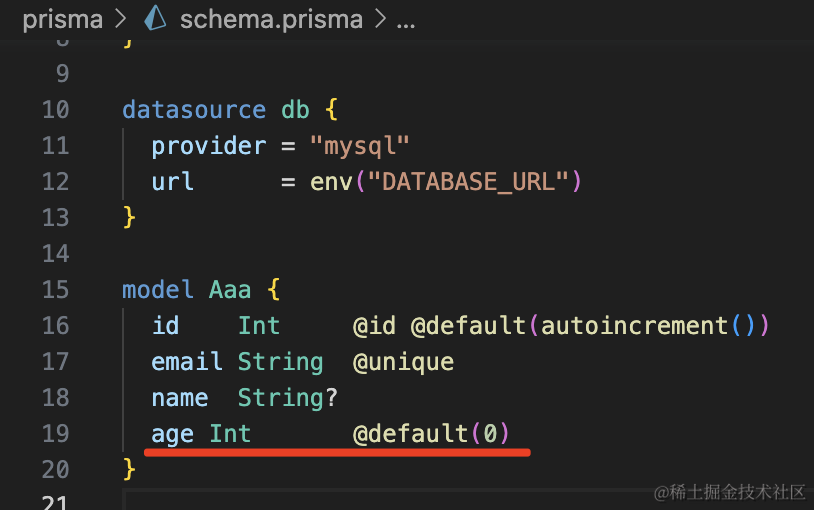
model Aaa {
  id    Int     @id @default(autoincrement())
  email String  @unique
  name  String?
  age Int       @default(0)
}
然后创建一个新的 migration:
npx prisma migrate dev --name bbb
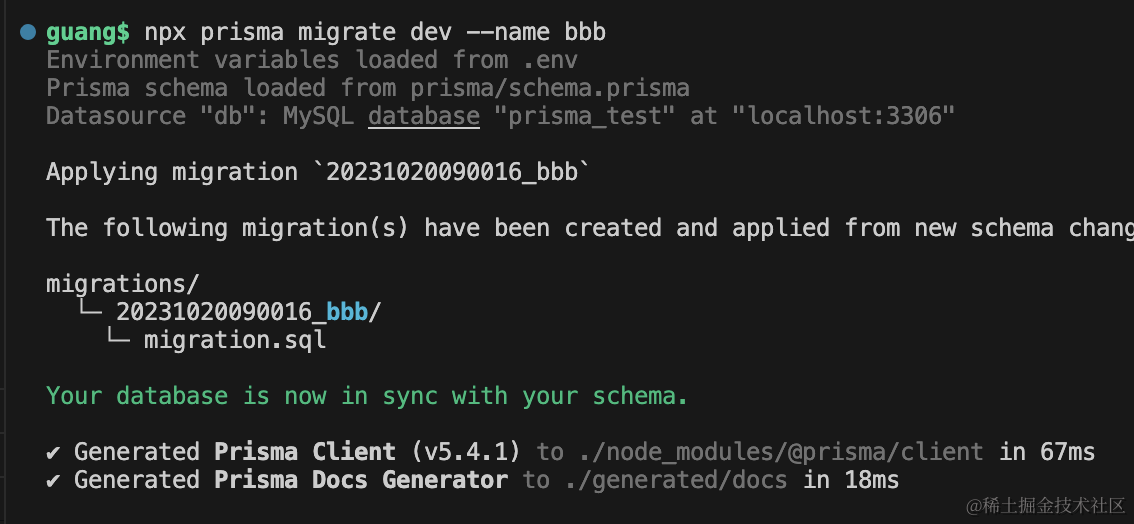
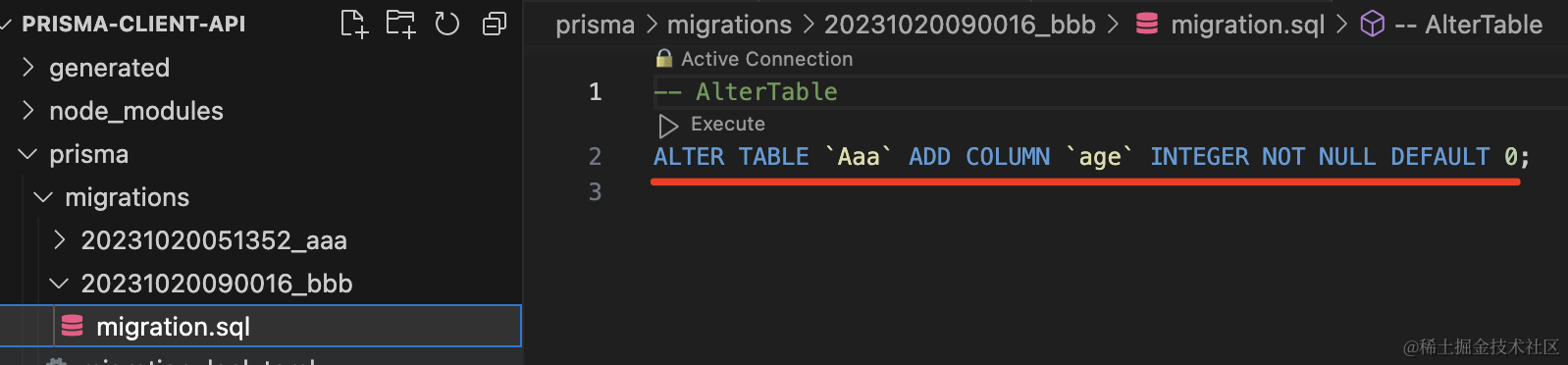
对应的 sql 如下:
然后我们用代码改一下:
async function test11() {
    await prisma.aaa.update({
        where: {
            id: 3,
        },
        data: {
            age: 3,
        },
    });

    await prisma.aaa.update({
        where: {
            id: 5,
        },
        data: {
            age: 5,
        },
    });
}
test11();
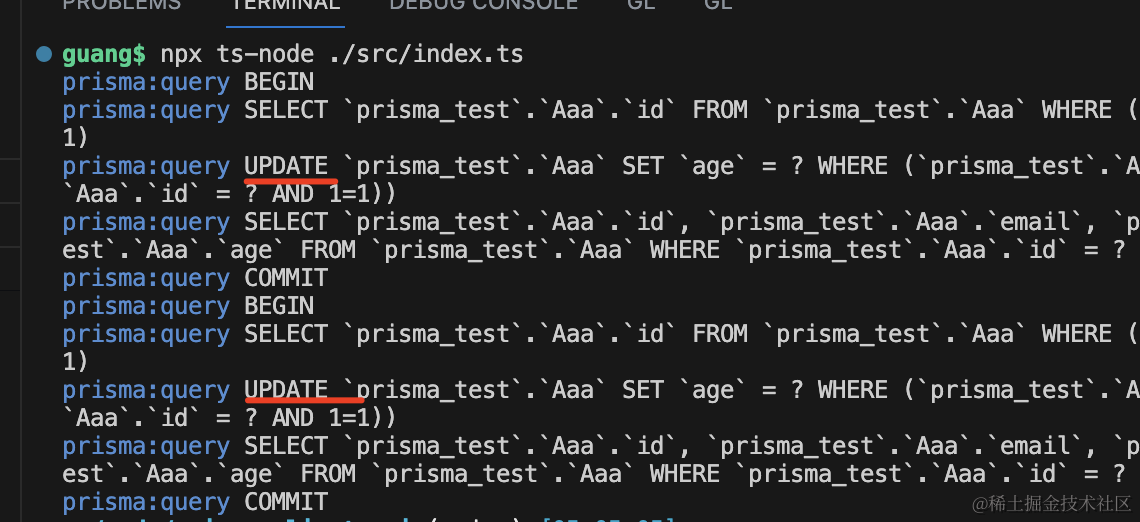
在 mysql workbench 里刷新下,可以看到确实改了:
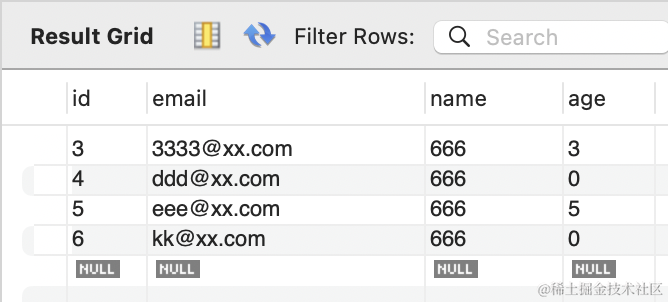
接下来就可以测试 aggregate 方法了:
async function test12() {
    const res = await prisma.aaa.aggregate({
        where: {
            email: {
                contains: "xx.com",
            },
        },
        _count: {
            _all: true,
        },
        _max: {
            age: true,
        },
        _min: {
            age: true,
        },
        _avg: {
            age: true,
        },
    });
    console.log(res);
}
test12();
跑一下:
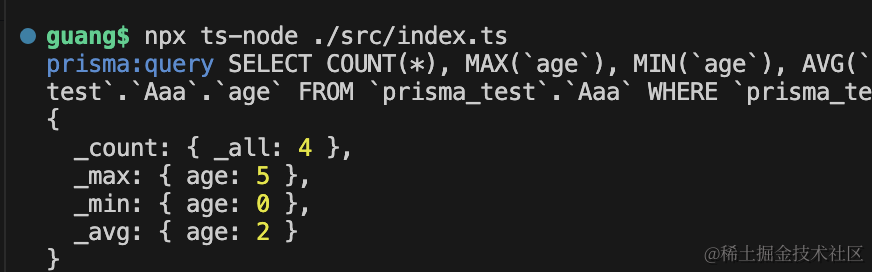
可以看到返回的最大值、最小值、计数、平均值,都是对的。
groupBy
最后还有个 groupBy 方法,大家有 sql 基础也很容易搞懂,这个就是分组的。
async function test13() {
    const res = await prisma.aaa.groupBy({
        by: ["email"],
        _count: {
            _all: true,
        },
        _sum: {
            age: true,
        },
        having: {
            age: {
                _avg: {
                    gt: 2,
                },
            },
        },
    });
    console.log(res);
}

test13();
就是按照 email 分组,过滤出平均年龄大于 2 的分组,计算年龄总和返回。
结果如下:
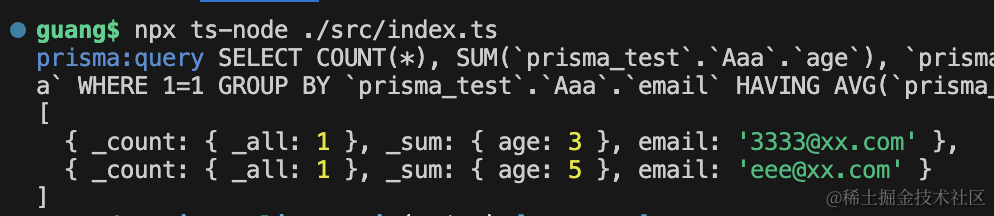
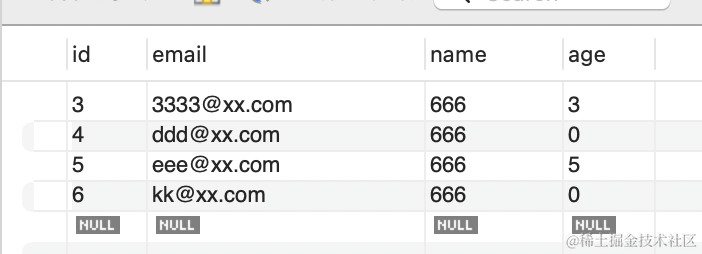
因为 age 大于 2 的就 2 条,然后算平均值、计数,就是上面的结果了:
这样,我们就把所有 Prisma Client 的 api 过了一遍。
案例代码在小册仓库
总结
这节我们过了一遍 Prisma Client 的单个表 CRUD 的 api。
分别包括 create、crateMany、update、updateMany、delete、deleteMany、findMany、findFirst、findFirstOrThrow、findUnique、findUniqueOrThrow。
以及 count、aggregate、groupBy 这些统计相关的。
其实有 sql 的基础的话,学习这些 api 很容易,过一遍就会了。